Create tiles
Tile are represented by IsometricPositionable node. So you first need to create a scene with an IsometricPositionable
root node, as below:
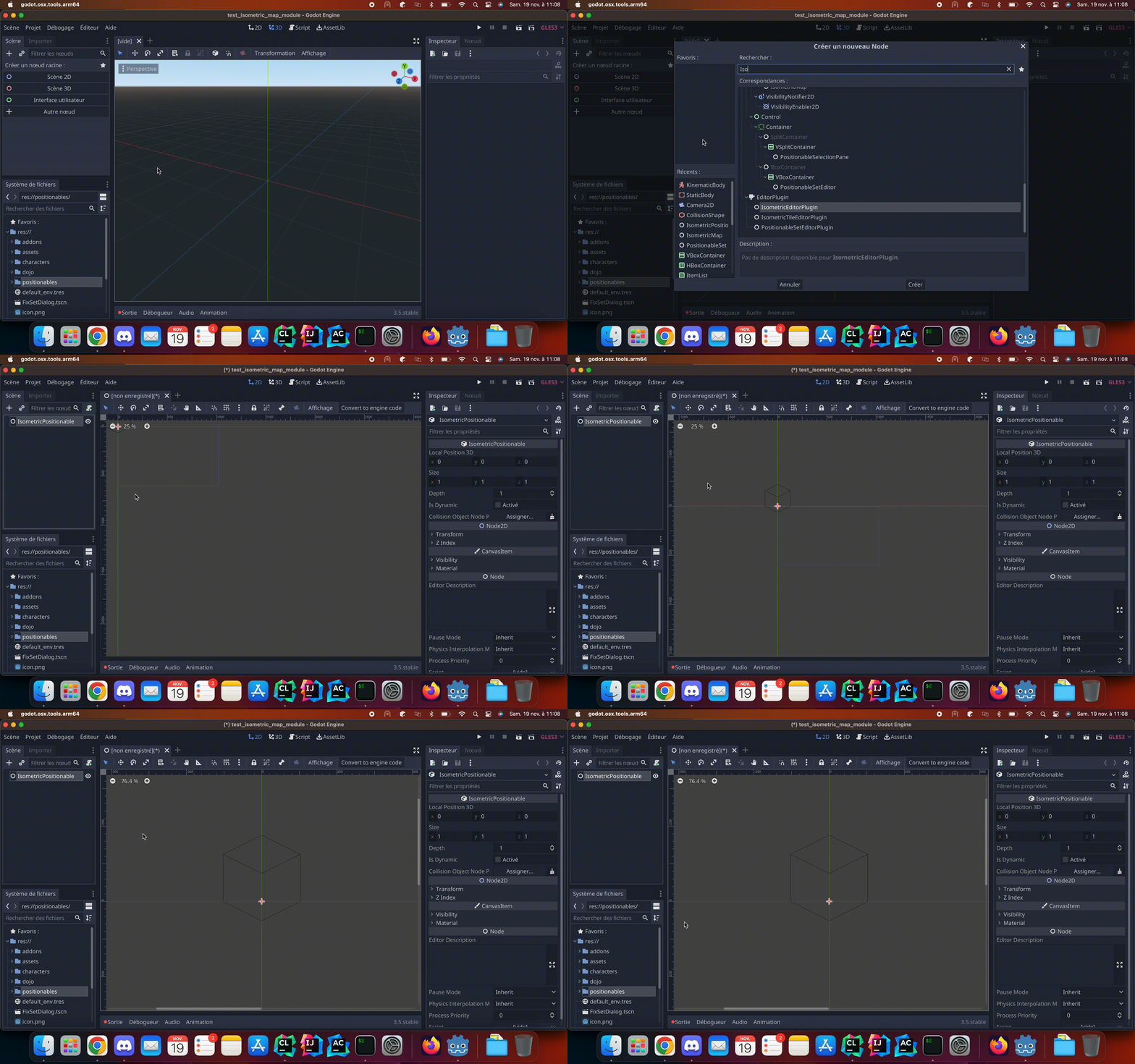
You can change the IsometricPositionable size from node inspector:

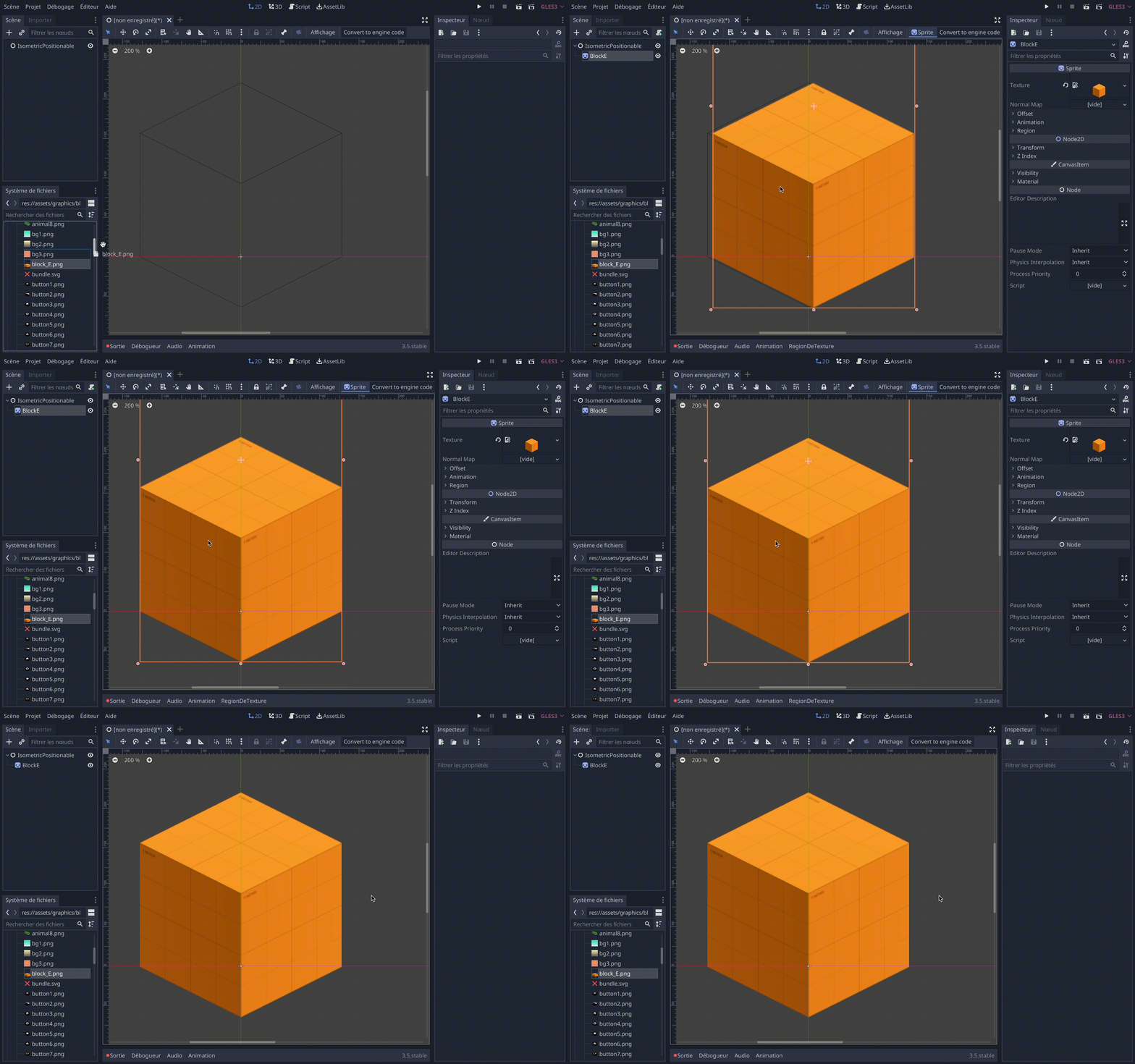
Then add your textures like you would do for any 2D godot node, your texture should not go out of tile boundaries:
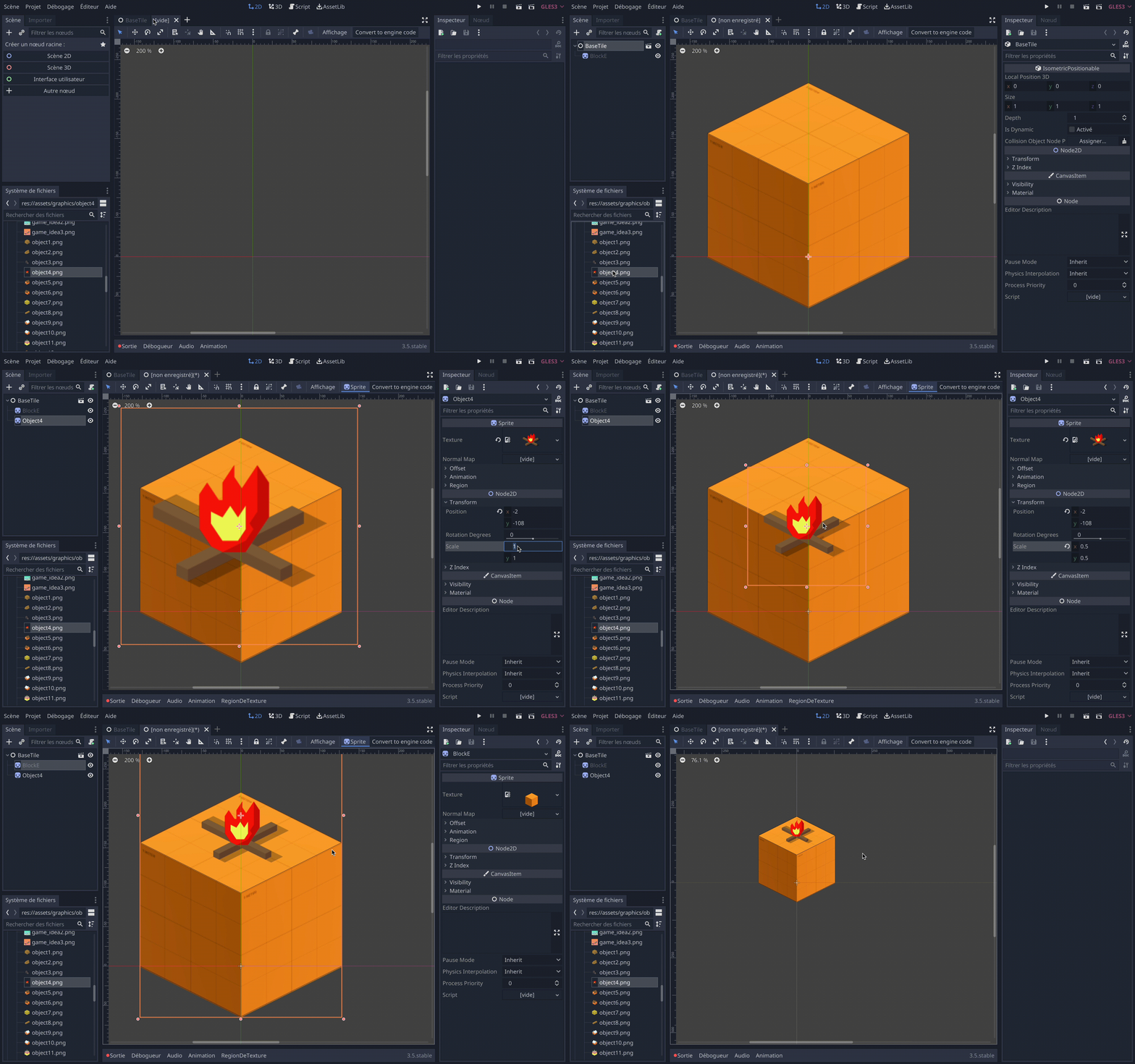
Once you registered your tile scene, you can take advantage of godot's scene inheritance mechanism. This way you can
create a new tile from an existing one.
This way, if you modify the base tile, it will modify all derived tiles.
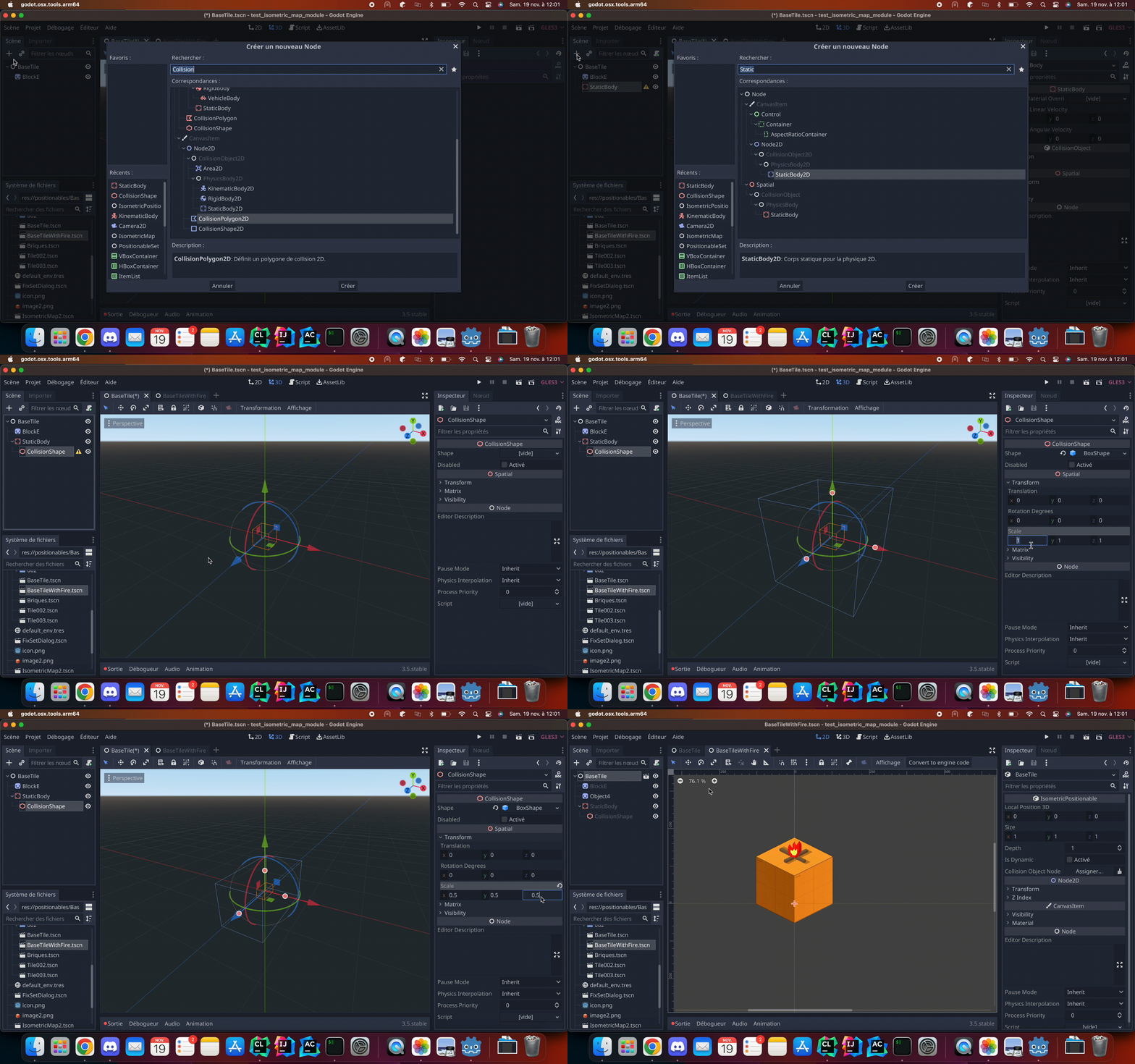
You can also add 3D physics node as child of your tile to provide 3D world collisions: